
Spawn. Review. Run. Approve.
The whole flow in about 65 seconds — every clip below is a screen recording of the production product, sped up where the caption says so.
- 1
Spawn — type the goal in plain English
You describe the job the way you'd brief a person. The composer picks specialist agents from the catalog, wires them into steps, and sets the schedule — watch it happen below.
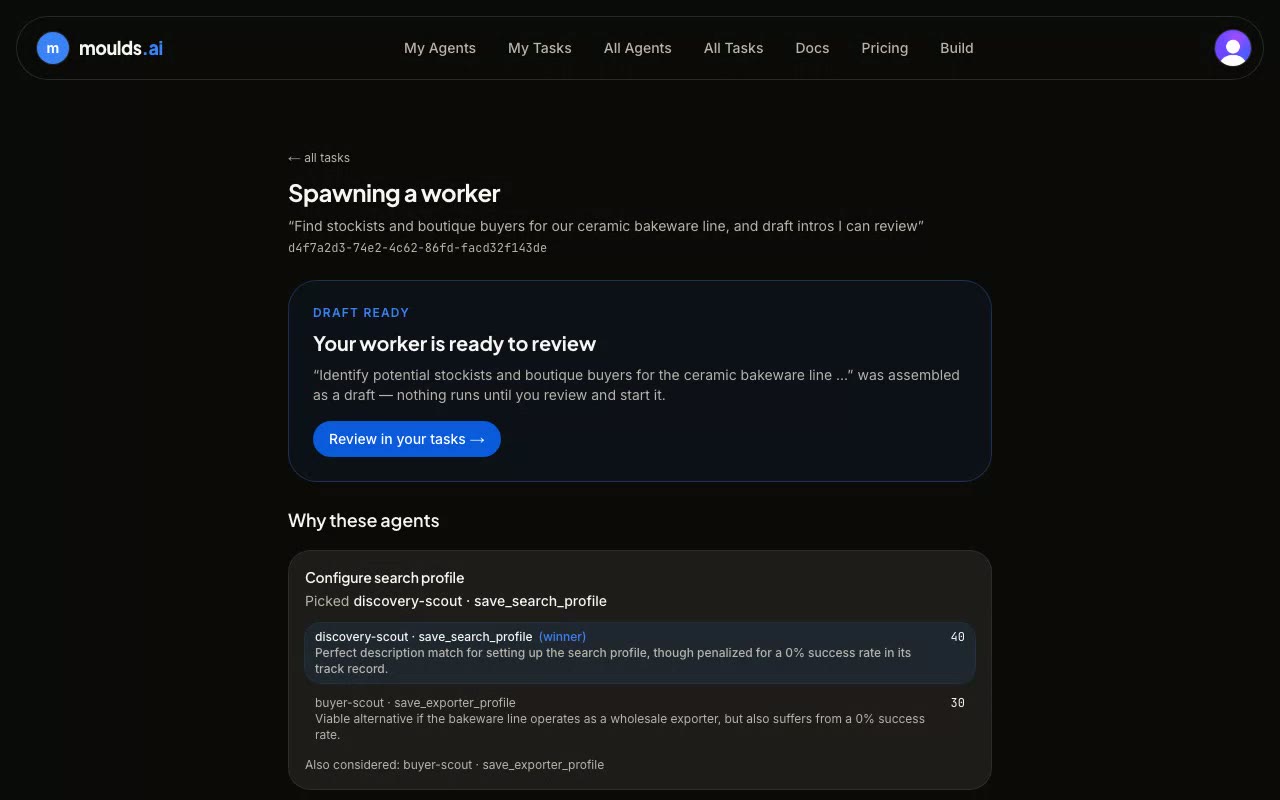
Sped up — real run: 3m 53s · recorded Jul 2026 - 2
Review the draft — nothing runs until you say so
The spawn ends with a draft, not an action: the worker's steps, cadence, and approval gates laid out for you to read. You edit or approve — the worker only exists once you accept it.
- 3
Hire a specialist — and give it the file it works from
Some jobs come with a specialist already built. You hire it from the catalog, set the cadence, and hand it the file it reads — here, a week's aged-receivables export. It works out what changed since last time before it drafts a word.
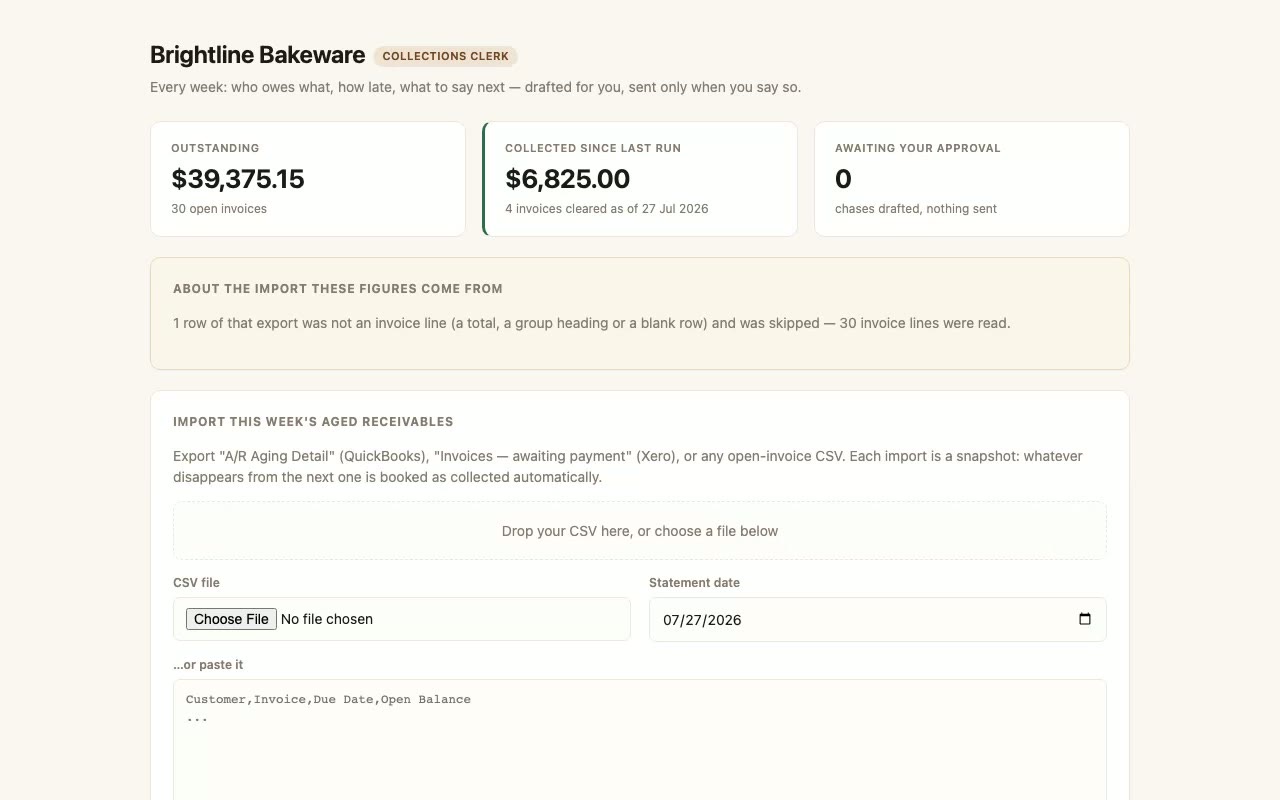
Sped up — real run: 0m 58s · recorded Jul 2026 - 4
Run — and approve what matters
On a run, the step list advances in plain English. The run parks at the approval step the platform enforces in front of the send, and waits for your explicit approve — no approve, no send.
Sped up — real run: 2m 12s · recorded Jul 2026 - 5
The result — with receipts
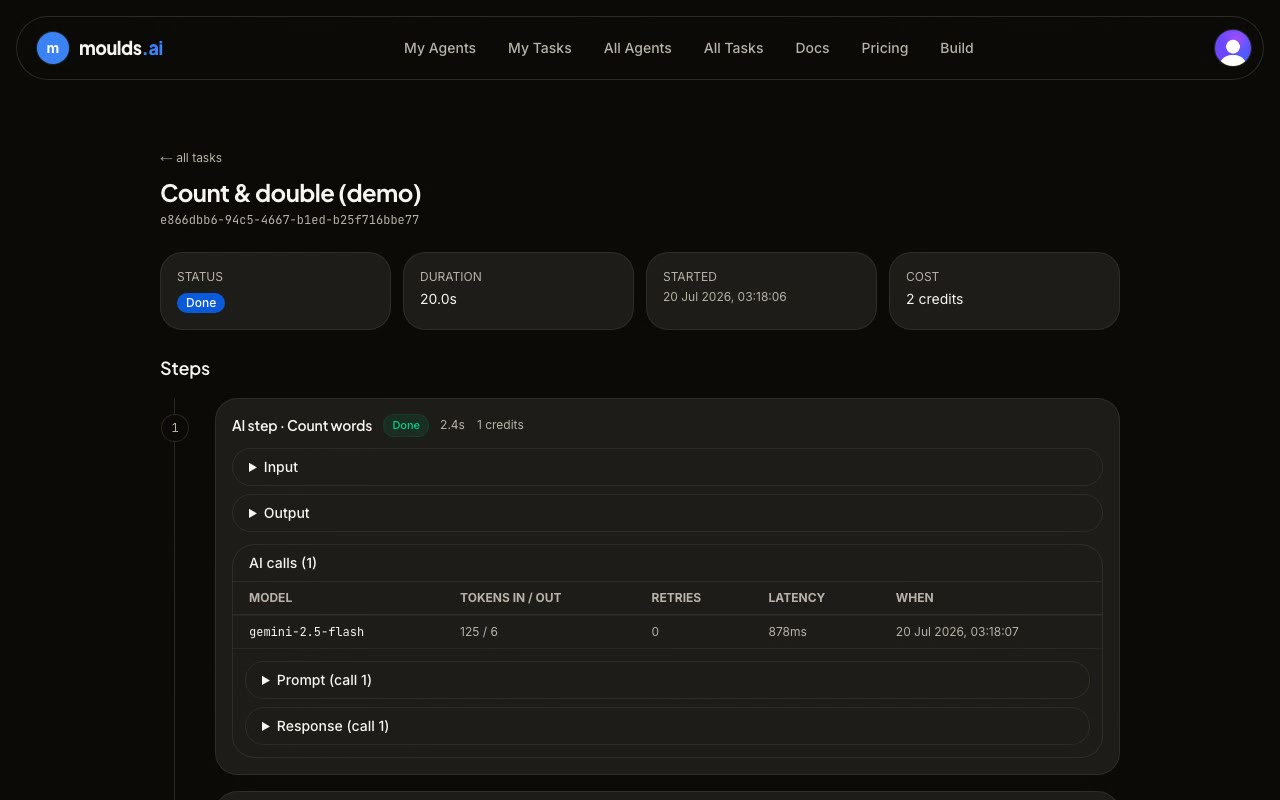
Every finished run keeps its full trail: each step's output, and every single AI call with model, tokens, latency, and the exact prompt and response.
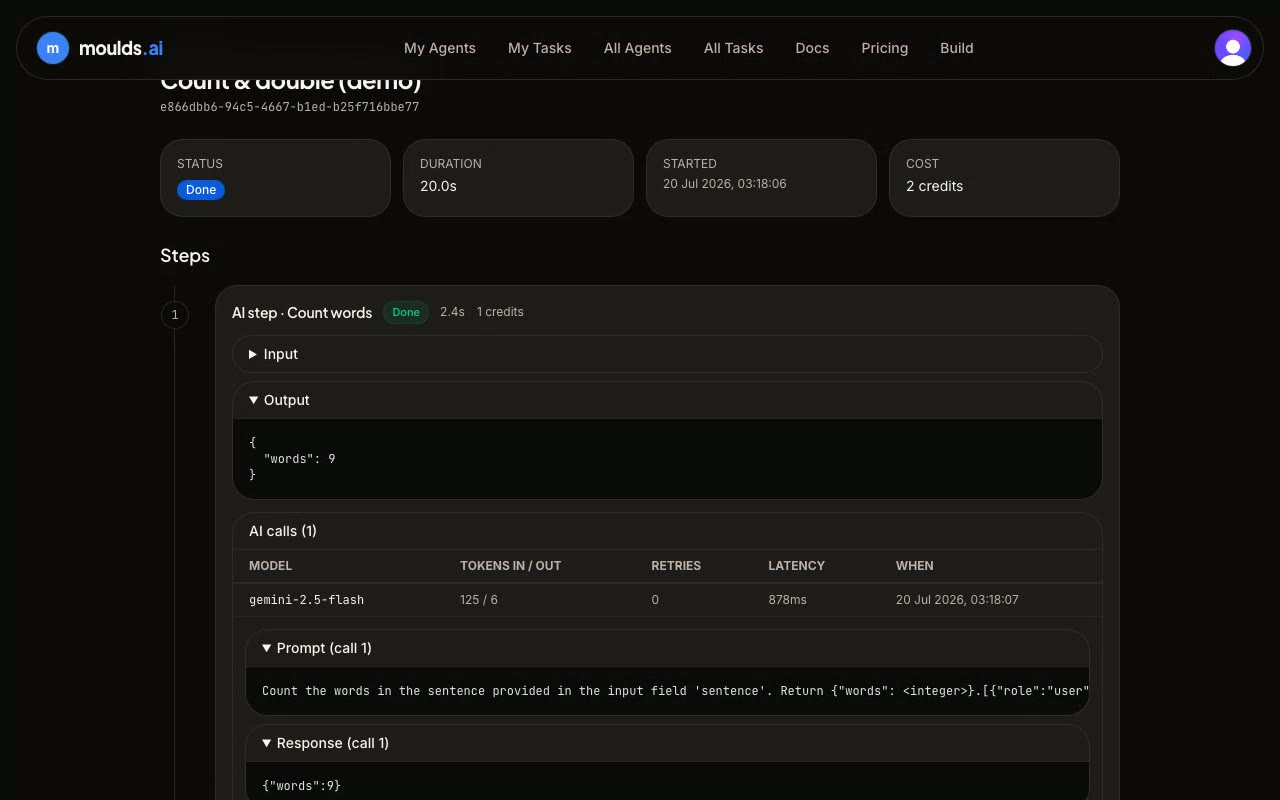
Sped up — real run: 0m 21s · recorded Jul 2026
Frequently asked questions
Every answer below describes how the product behaves today.
What does it cost to start?
Nothing — every new account starts with 200 free credits, no card required. One credit is worth $0.01. When you need more, credit packs start at $5, or you can bring your own AI keys and skip platform credits for AI calls entirely.
What if a worker makes a mistake?
Any step that sends something outward gets an approval step in front of it — enforced by the platform, not by convention: a worker without the gate can't be saved, and the engine refuses to run an ungated send. That covers workers composed for you, hand-written ones, installed ones, and scheduled runs. The run parks there until you explicitly approve it. And every run keeps a full audit trail: a plain-English step list plus every AI call with its exact prompt and response, so you can see precisely what happened and why.
Do I need to know how to code?
No. You describe the job in plain English; the composer drafts the worker — steps, schedule, approval gates — and you review the draft before anything runs. You can also install a published worker from the catalog and run it under your own account.
Can I use my own AI keys?
Yes. Connect your own keys (bring-your-own-key) and AI calls run at no platform credit cost. Without your own keys, platform-provided keys are used and metered against your credit balance, and a run stops with a clear credits-exhausted error if the balance runs out.